How to create canvas views for a module
How to create canvas views for a module
1. Start by accessing your personalised dashboard view
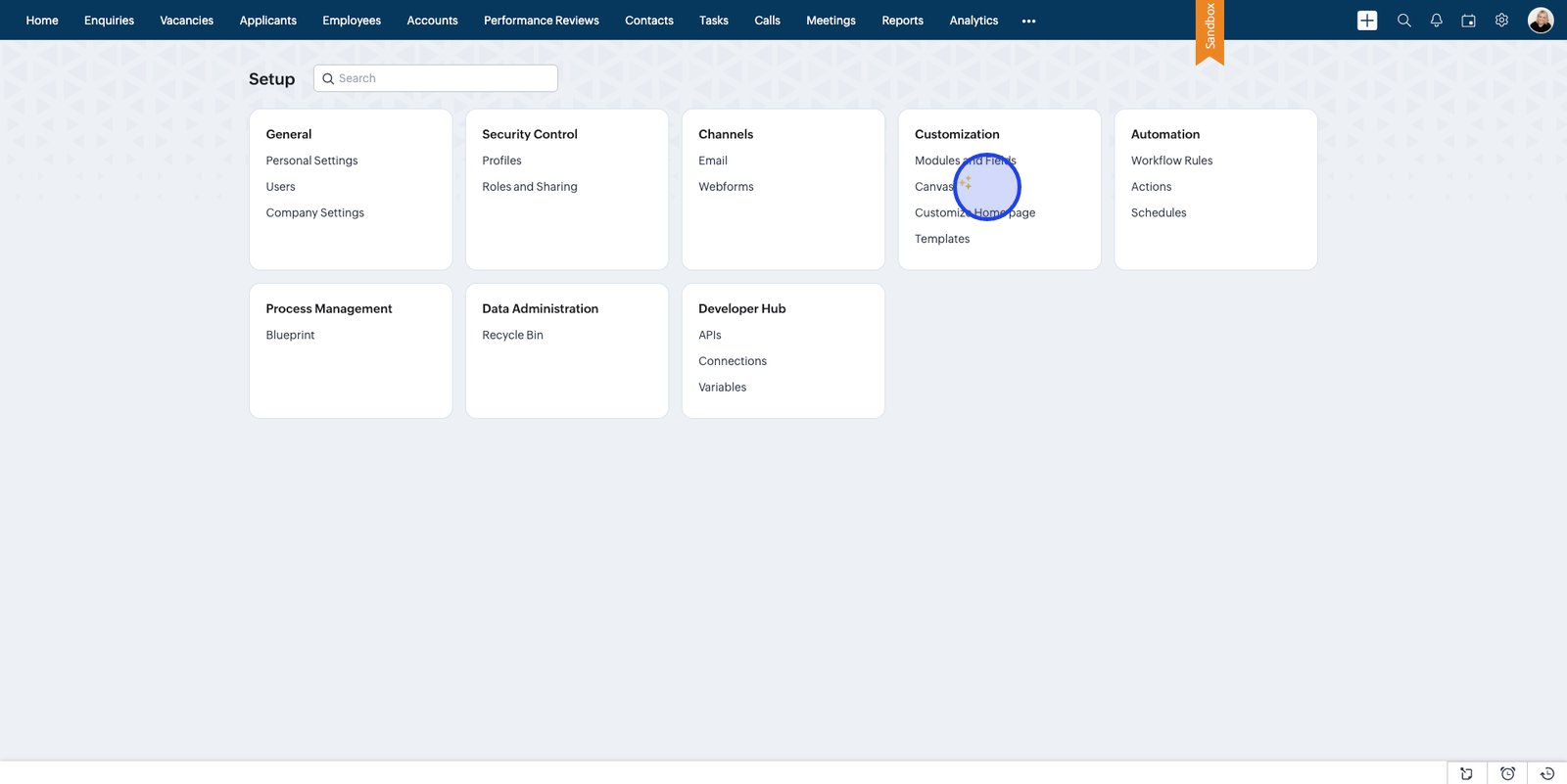
2. Open Settings to begin customising your experience
3. Select Canvas under the Customisation heading
4. Click Create Record Detail Page to start designing a personalised page
5. Choose the module for which you want to create a new Canvas view
6. Confirm your selections and create a new record detail page for streamlined enquiry management
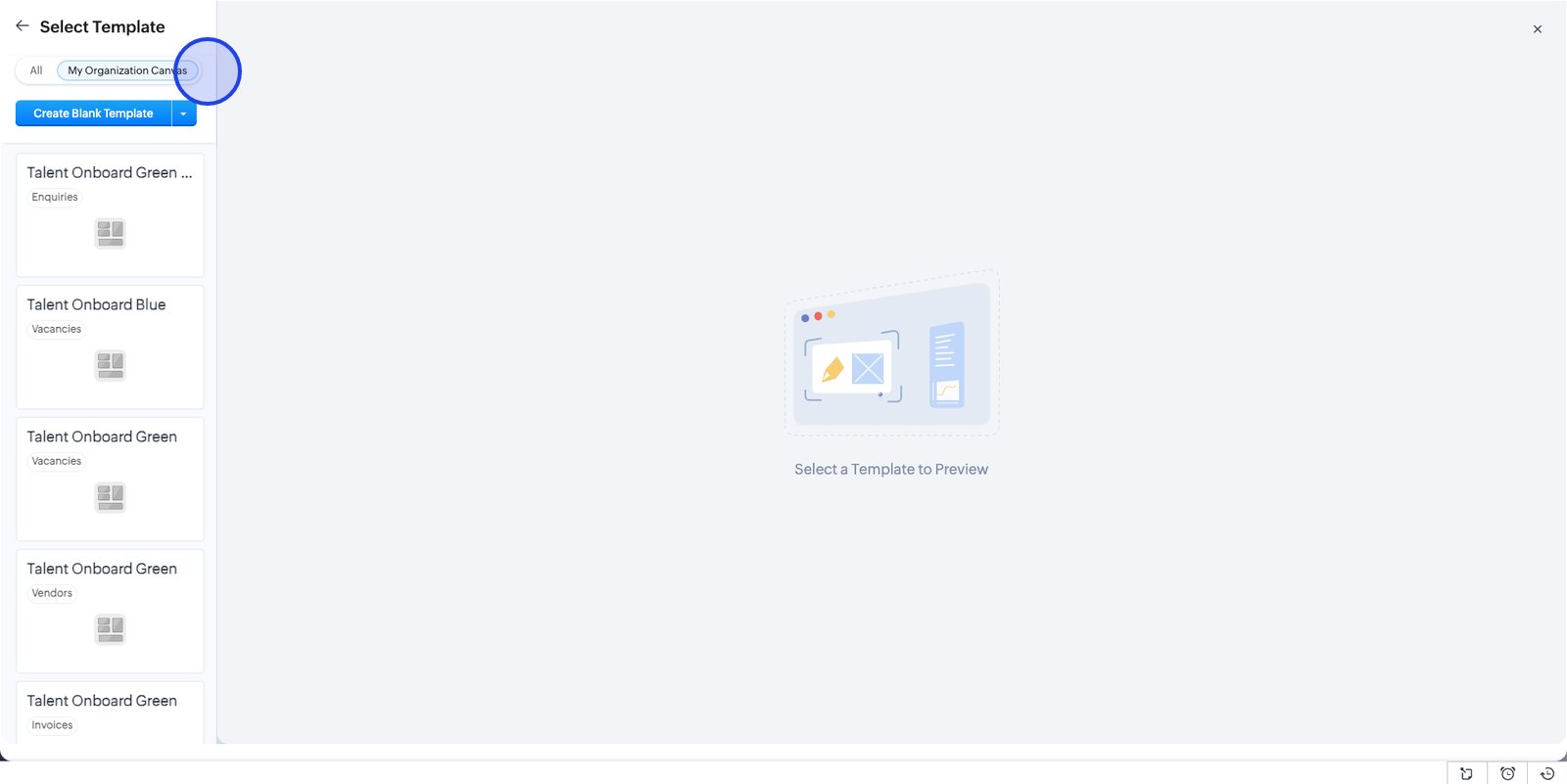
7. Pick from a variety of pre-built templates or start with a blank canvas
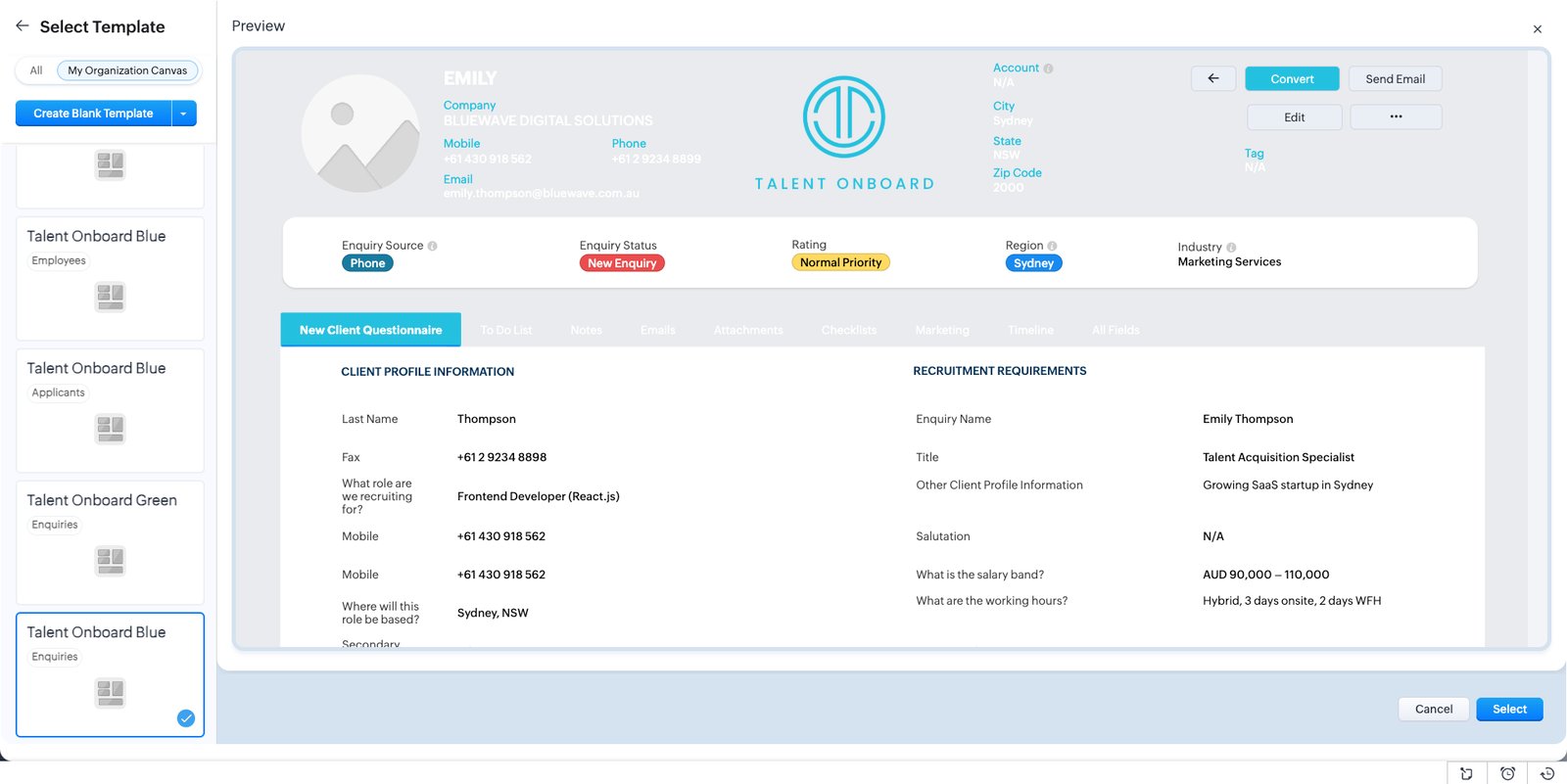
8. Preview templates to find the design that matches your requirements
9.
10. Preview other templates
11.
12. Or add an existing template to use from your organisation
13. We used Talent Onboard Blue for the same module
14. Select your preferred template to move forward with customisation
15. Select individual sections and make changes to the colours etc
16. Open the background colour picker to brand your page or highlight sections
17. Choose a background colour that fits your company’s style and makes information stand out
18. Fine-tune your background colour to achieve the perfect visual impact.
19. Select a swatch to instantly update your page’s look and reinforce branding
20. Switch to the tab list and customise these colours
21. Click the colour box under Tab Background in the style panel to hone your tab's appearance
22. Pick a theme colour to unify your interface with brand guidelines
23. Customise your label colour to boost readability and draw attention to key info
24. Select the recently used colours for consistency
25. Adjust label or text colour here for a custom, polished finish
26. Items to customise include headings/labels and text
27. Copy styles to quickly add them to other items
28. Right click and Paste copied style to this element
29. You can edit the colour of the items to differ when active, inactive or on hover
30. Select the Hover button to customise this colour
31. Update the blue to match the green style
32. Select the correct green
33. Select the logo at the top of the screen to change the image
34. Insert the required logo
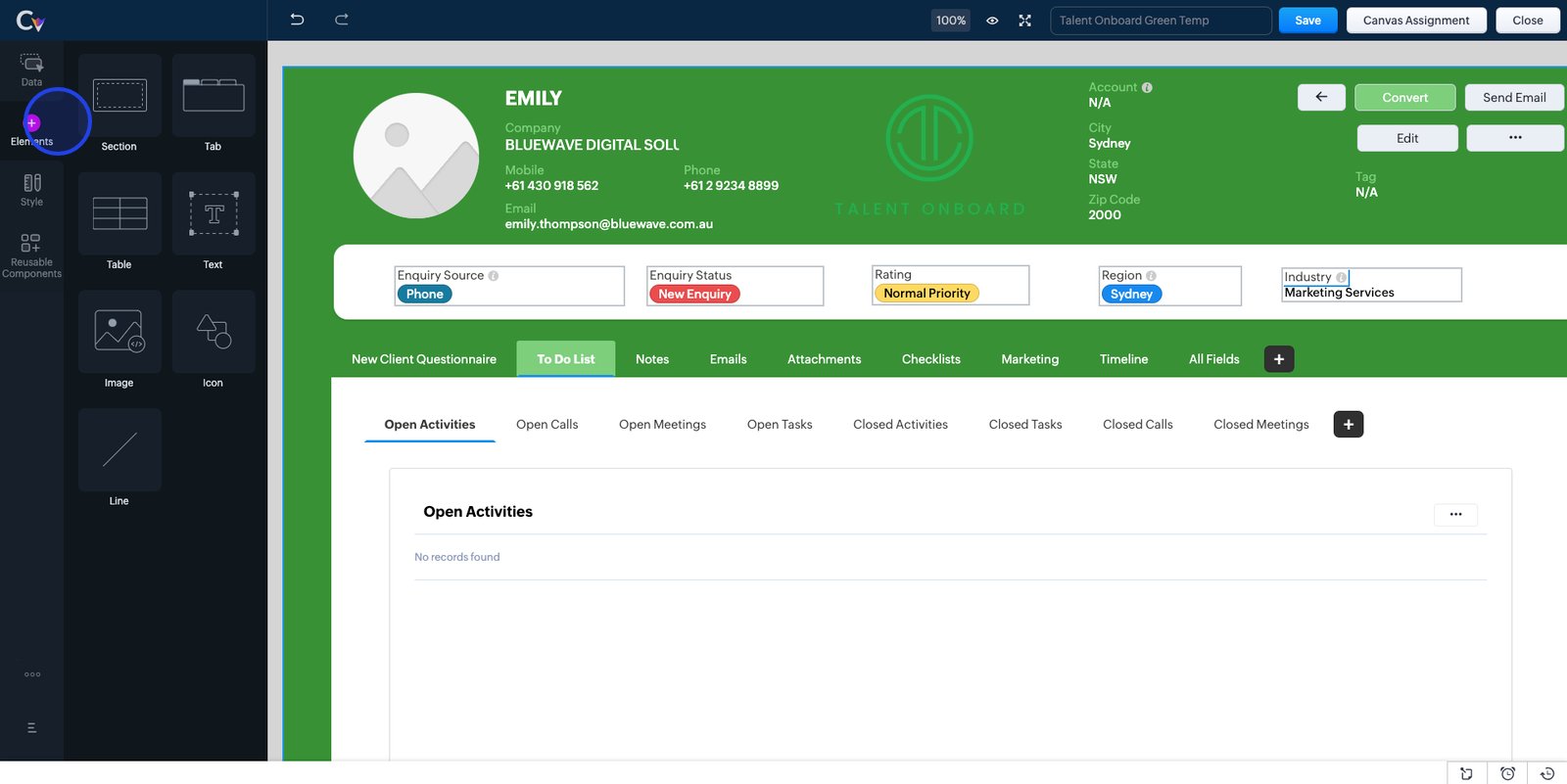
35. Use the Elements Section to add new items to this view
36. Access all your data sources by clicking the Data icon in the sidebar for streamlined management.
37. Click the Fields section to view or update the layout of the client's profile details
38. All available fields for this module are shown here
39. Select the duplicated Mobile field and replace it with another field
40. Right click on the field and hover over
Change Field
to update the field
41. Set the field type to Phone
42. Drag and drop and fields you wish to add
43. Select a field and drag and drop it onto your canvas
44. Name your canvas view and click on Save
45. Close the editor
46. Go to the Enquires tab to view your new Canvas view
47. Select a record
48. At the bottom of the page, select the dropdown menu at Record detail page views
49. Select your new view and see it load automatically
50.